


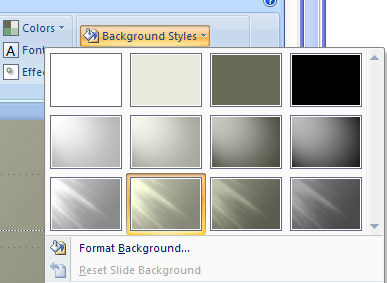
Yum, PowerPoint’s new themes. They’re fun, colorful and a far cry from the drab and boring ones we’ve lived with for so long. So, what happens when you love everything about a Theme except its background?
Well, since I’m waxing lyrical about PowerPoint you can probably guess I’m about to let you in on a trick for fixing the background problem in your PowerPoint 2007 theme love affair? Click the Background Styles option in the Design tab and there is an entire selection of different backgrounds all coordinated with the theme. If you change your color scheme the background’s colors change too – sweet!
Post a Comment
Please feel free to add your comment here. Thank you!