


 When you need to email lots of people at a time, such as your business contact list you can do this from inside Outlook.
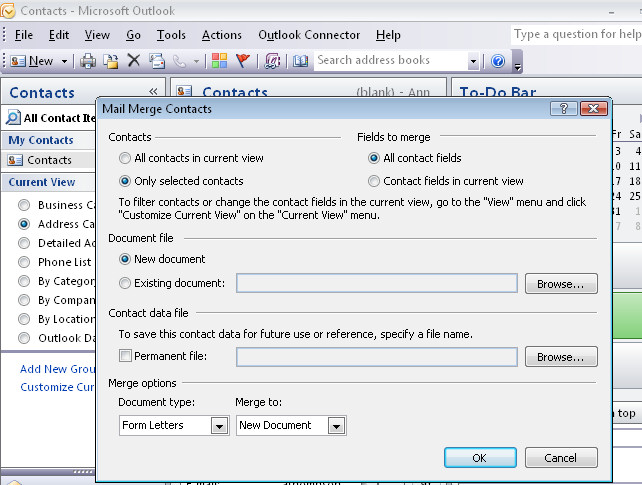
To do this, first open your Contacts area and select the Contacts to email as a group. You can do this by Control + Clicking on each contact to select them.
Then select Tools > Mail Merge to create the message. Choose Only Selected Contacts and then select whether to create a printed document or to email it and then click Ok to switch to Word to finish the process there.
Post a Comment
Please feel free to add your comment here. Thank you!